Introduction
Small daily purchases often look harmless, but they can quietly reduce monthly savings and create confusion at the end of the month. Many beginners know they should track expenses, yet they are unsure whether to write everything in a notebook or spreadsheet or use an automated finance app. Manual tracking offers control and awareness, while automated apps provide speed, convenience, and organized reports. However, neither method is perfect for every person. Choosing the wrong system may lead to incomplete records, privacy concerns, ignored transactions, or a budget that is too difficult to maintain. This guide explains manual expense tracking vs automated finance apps so readers can choose a practical method based on their habits, comfort, financial goals, and need for security.
Understanding Manual Expense Tracking vs Automated Finance Apps
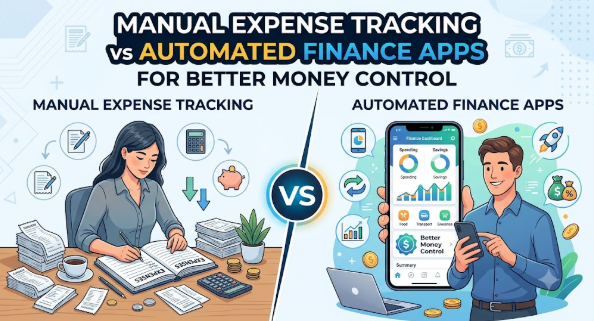
Manual expense tracking means recording your income and spending yourself. You may use a notebook, diary, spreadsheet, printable budget sheet, or simple notes application. Every time you spend money, you enter the amount, date, payment method, and category.
Automated finance apps use technology to collect, organize, or categorize financial transactions. Depending on the app and permissions provided, transactions may be imported from bank accounts, cards, digital wallets, or uploaded statements. The app may then show spending summaries, alerts, category reports, and budget progress.
People search for manual expense tracking vs automated finance apps because they want a dependable way to understand where their money goes. Some users prefer complete privacy and control. Others want convenience because they do not have time to record every transaction manually.
For example, imagine that a salaried employee spends money on groceries, transport, subscriptions, food delivery, rent, and shopping. A manual tracker requires the employee to enter every purchase. An automated app may identify many transactions and place them into categories, although the user still needs to review whether those categories are correct.
Why Expense Tracking Methods Are Important
The method used to track expenses can influence financial awareness, saving habits, debt control, and long-term planning. A system that is accurate but too difficult to maintain may eventually be abandoned. A system that is convenient but rarely reviewed may collect data without improving behaviour.
Savings
Expense tracking reveals spending patterns that may not be obvious during daily life. Frequent small purchases, unused subscriptions, delivery charges, and impulse shopping can reduce savings without attracting attention.
Manual tracking often creates stronger awareness because the person must consciously record every purchase. Automated apps may identify patterns more quickly by combining transactions into reports.
Borrowing
People who understand their monthly cash flow are better prepared to judge whether they can manage a loan payment or credit card balance. Without expense records, borrowers may underestimate existing commitments.
A good tracking system helps separate available income from money already committed to rent, bills, food, insurance, debt, and other essentials.
Investing
Investing should generally come after essential expenses, debt obligations, and emergency savings have been considered. Expense tracking helps identify a realistic amount that may be available for long-term goals.
The method itself does not create investment returns. It simply provides clearer information for deciding how much money can be allocated without damaging daily financial stability.
Tax Planning and Record Keeping
Freelancers, consultants, and small business owners may need organized records for business expenses, reimbursements, invoicing, or tax preparation. Manual systems can provide detailed customization, while automated tools may reduce repetitive entry.
However, personal and business expenses should be separated carefully. Incorrect categorization can create confusion during professional review or filing.
Emotional Decision-Making
People often spend differently when they are stressed, excited, influenced by discounts, or trying to match the lifestyle of others. Tracking brings visibility to these patterns.
A monthly review can show whether spending increased because of genuine needs or emotional triggers.
Long-Term Financial Discipline
Regular tracking builds a connection between daily actions and long-term goals. A person may understand that frequent unplanned purchases are delaying an emergency fund, holiday, business investment, or debt repayment goal.
Practical Scenario
Suppose a person earns $3,000 per month and believes that $500 should remain after expenses. At month-end, only $150 is left. Expense tracking may show that the missing amount was spent across food delivery, subscriptions, small shopping transactions, and unplanned travel. Once the pattern becomes visible, the person can make specific changes rather than simply promising to “spend less.”
The Real Problem Readers Face With Expense Tracking
The main challenge is usually not a lack of tools. It is the difficulty of selecting and maintaining a system that fits real life.
Beginners may download several applications, create complex spreadsheets, or purchase budgeting notebooks without first understanding what they need to track. When the system becomes difficult, they stop using it.
Another problem is confusing advice. Some people claim that handwritten tracking is always better because it creates discipline. Others claim that automation is automatically more accurate. Both statements ignore personal behaviour, technical limitations, and privacy preferences.
Emotional decision-making also affects the process. A person may avoid reviewing expenses because the numbers feel uncomfortable. Another person may become overly restrictive after seeing one month of high spending and create an unrealistic budget.
Weak comparison is another common issue. Users may select an app because it looks attractive without checking subscription costs, data collection practices, export options, security controls, or account permissions.
Unrealistic expectations create disappointment. Expense tracking cannot correct money problems automatically. It does not increase income, remove debt, or stop impulse spending without user action.
Some users also depend completely on social media recommendations. A tool that works well for a content creator may not be suitable for a family, freelancer, student, or privacy-conscious user.
The right next step is not to find the “perfect” system. It is to choose a simple method, test it consistently, review the results, and improve it gradually.
How Manual Expense Tracking vs Automated Finance Apps Work Step by Step
Step 1: Define the Purpose of Tracking
Start by deciding why you want to track expenses. The goal may be reducing unnecessary spending, building an emergency fund, managing debt, preparing business records, or understanding monthly cash flow. This matters because the purpose determines how much detail you need. For example, someone controlling food spending may need detailed food categories, while someone checking overall cash flow may only need broad categories. A common mistake is starting with a tool before defining the problem. A better approach is to write one clear objective, such as reducing unplanned spending or identifying how much can be saved each month.
Step 2: List Income Sources and Fixed Commitments
Record salary, freelance income, business income, rental income, or other reliable sources. Then list fixed commitments such as rent, insurance, loan payments, tuition, subscriptions, and recurring bills. This creates the basic financial structure before variable spending is added. For example, a person earning $4,000 may discover that $2,600 is already committed before groceries and transport. A common mistake is treating the entire income as available spending money. A better approach is to separate committed expenses immediately after income is received.
Step 3: Choose Manual, Automated, or Hybrid Tracking
Select a method based on your habits, time, privacy preferences, technical comfort, and financial complexity. Manual tracking may suit someone who wants detailed control and does not mind regular entry. Automation may suit someone with many digital transactions who needs faster summaries. A hybrid approach may use automatic transaction collection with manual review. A common mistake is copying another person’s system. A better approach is to select the method you can maintain consistently for several months.
Step 4: Create Practical Spending Categories
Use categories that reflect real spending, such as housing, groceries, transport, utilities, healthcare, debt payments, subscriptions, entertainment, education, and savings. Categories should be detailed enough to be useful but not so detailed that tracking becomes exhausting. For example, separating restaurant meals from groceries may help someone reduce dining costs. A common mistake is creating dozens of categories for minor purchases. A better approach is to start with eight to twelve meaningful categories and add more only when necessary.
Step 5: Record or Import Transactions
Manual users should choose a fixed routine, such as recording expenses immediately or updating the tracker every evening. Automated users should connect accounts only after reviewing permissions and should verify imported transactions. For example, a payment at a supermarket may be classified as shopping instead of groceries. A common mistake is assuming imported data is always correct. A better approach is to review new transactions regularly and correct unclear categories.
Step 6: Reconcile Records
Compare the tracker with bank statements, card statements, wallet records, cash receipts, or invoices. Reconciliation helps identify missing transactions, duplicate entries, refunds, cash purchases, and failed payments. For example, an automated app may import a card authorization and later record the completed charge separately. A common mistake is reviewing only the total balance. A better approach is to check individual transactions and confirm that the final record matches actual financial activity.
Step 7: Review Patterns and Identify Problems
At the end of each week or month, study category totals and spending patterns. Look for rising costs, unused subscriptions, repeated impulse purchases, avoidable fees, and irregular expenses. For example, a person may discover that weekend spending is consistently higher than weekday spending. A common mistake is collecting data without reviewing it. A better approach is to identify one or two changes for the next period rather than trying to correct everything immediately.
Step 8: Adjust the Budget and Tracking System
Use the review to update category limits, savings targets, alerts, or tracking routines. Financial needs change, so the system should remain flexible. For example, transport expenses may rise after a job change, while food delivery costs may fall after meal planning. A common mistake is treating the original budget as permanent. A better approach is to review the system monthly and make realistic adjustments based on actual needs.
Key Factors That Influence Manual Expense Tracking vs Automated Finance Apps
Income Pattern
A fixed monthly salary is generally easier to plan than irregular freelance or business income. People with irregular income may need detailed tracking of payment dates, unpaid invoices, taxes, and variable expenses.
Manual spreadsheets can be highly customizable for irregular income. Automated apps may help by showing transaction history, but users must ensure that business and personal funds are not mixed.
Number of Transactions
Someone who makes only a few transactions each week may find manual tracking manageable. A person using several cards, wallets, accounts, and subscription services may benefit from automation.
The mistake is assuming that more automation always means less work. Large transaction volumes still require category review and reconciliation.
Cash Usage
Automated systems may not detect cash purchases unless the user enters them manually. People who regularly pay for transport, local shopping, tips, or small services in cash may have incomplete app records.
A practical solution is to create a daily cash entry habit or record cash withdrawals and then divide them into actual categories.
Privacy and Data Sharing
Manual notebooks and offline spreadsheets may reduce the amount of financial information shared with third-party platforms. However, physical notebooks can be lost, and unprotected spreadsheets can still be accessed.
Automated apps may require permissions to view transactions or connect accounts. Users should understand what information is collected, how it is stored, and whether account access can be removed.
Accuracy
Manual systems can be accurate when entries are recorded consistently. They can also contain typing mistakes, missed transactions, or calculation errors.
Automated systems reduce some entry mistakes, but incorrect categories, duplicate imports, delayed transactions, and unsupported accounts can affect accuracy.
Cost
Manual tracking can be free when using a notebook or basic spreadsheet. However, it requires time and regular effort.
Some automated apps offer free features, while others charge subscriptions or restrict useful reports behind paid plans. Users should compare the cost with the actual benefit received.
Ease of Use
A simple system is more likely to be maintained. People should consider whether they prefer writing, typing, reviewing dashboards, receiving alerts, or working with spreadsheets.
The most advanced tool is not useful when the user avoids opening it.
Financial Goals
Someone focused on stopping impulse spending may benefit from the awareness created by manual entry. Someone managing several accounts may need automated consolidation.
The tracking method should support the goal rather than becoming a separate project.
Review Discipline
Neither method is effective without review. Manual tracking may encourage awareness during entry. Automated tracking may save time but can become passive.
A reliable system should include a weekly check and a deeper monthly review.
Detailed Breakdown of Manual Expense Tracking vs Automated Finance Apps
Manual Expense Tracking
Manual expense tracking gives the user direct control over every entry. The system may be as simple as writing daily spending in a notebook or as advanced as maintaining a spreadsheet with formulas and category summaries.
How Manual Tracking Builds Awareness
Writing or typing each transaction creates a deliberate pause. The user must recognize the purchase, decide its category, and see how it affects the budget.
This process can be useful for people who spend impulsively. Recording a purchase immediately may make the cost feel more real than allowing it to disappear inside a bank statement.
The risk is that awareness depends on consistency. Missing several days can make the tracker incomplete and difficult to update.
Flexibility and Customization
Manual systems can be designed around personal needs. A freelancer may track client expenses, software subscriptions, travel, taxes, and unpaid invoices. A family may track groceries, school costs, healthcare, and household maintenance.
The user is not limited to the categories or reports offered by an application.
However, too much customization can create unnecessary complexity. A spreadsheet with many sheets, formulas, and categories may become difficult to maintain.
Privacy Advantages and Limitations
An offline notebook does not require bank access or online account connections. An offline spreadsheet can also keep financial records under the user’s control.
However, privacy is not automatic. A notebook left in a public place or an unprotected file stored on a shared computer may expose sensitive information.
Users should avoid recording full account numbers, passwords, card details, or security codes in an expense tracker.
Manual Calculation Errors
Manual systems may include typing errors, incorrect formulas, double entries, or missed expenses. These problems can be reduced through regular reconciliation and simple templates.
Beginners should avoid complicated calculations until they are comfortable with basic income, spending, savings, and debt records.
Best Use Cases for Manual Tracking
Manual tracking may work well for:
- People who make a limited number of transactions
- Users who prefer privacy and offline control
- Beginners trying to build spending awareness
- Cash-heavy households
- Freelancers needing customized categories
- People who enjoy spreadsheets or written planning
Automated Finance Apps
Automated finance apps are designed to reduce repetitive data entry. Depending on the service, they may import transactions, group spending into categories, send alerts, show charts, monitor bills, or track budget limits.
Convenience and Speed
Automation is especially useful when a person has many digital transactions. Instead of entering every card payment, the user can review imported activity.
This saves time but may also reduce awareness. A transaction that appears automatically may not receive the same attention as one entered manually.
Users should schedule a review rather than assuming that automatic collection equals active money management.
Categorization and Reporting
Automated tools may classify spending into categories such as food, transport, entertainment, bills, or shopping. Reports can make patterns easier to understand.
Categorization is not always correct. A payment platform, marketplace, or multipurpose retailer may not clearly show what was purchased.
The user should correct categories and consider splitting mixed purchases when the information is important.
Alerts and Budget Notifications
Apps may send warnings when a category approaches a limit, a bill is due, or unusual spending occurs. These alerts can support better awareness.
Too many notifications can create alert fatigue. Users may begin ignoring all warnings, including important ones.
A better approach is to enable only alerts connected to real financial priorities.
Account Connectivity
Some apps connect directly to financial accounts, while others require uploaded statements or manual imports. Users should check what type of access is requested.
They should also understand whether the connection allows viewing transactions only or involves broader permissions. Any unnecessary connection should be removed.
Subscription and Feature Limitations
Free plans may limit accounts, reports, exports, historical records, or budget categories. Paid plans may offer useful tools, but a subscription should provide clear value.
Paying for a finance app while ignoring its reports is another form of unnecessary spending.
Best Use Cases for Automated Apps
Automated apps may work well for:
- People with frequent digital transactions
- Users managing several accounts or cards
- Busy professionals who struggle with daily entry
- Households needing shared financial visibility
- People who benefit from alerts and visual reports
- Users comfortable reviewing digital permissions
The Hybrid Approach
A hybrid method combines automation with manual control. Transactions may be imported automatically, while the user reviews categories, enters cash purchases, adds notes, and completes a monthly spreadsheet summary.
This approach often balances convenience and awareness. It reduces repetitive entry without removing human review.
For example, a person may use an app for daily transaction collection and maintain a simple monthly spreadsheet showing income, essential expenses, discretionary spending, savings, and debt payments.
The mistake is using two systems that do not match. The better approach is to give each tool a specific purpose.
Common Mistakes Beginners Make With Expense Tracking
Choosing a System That Is Too Complicated
Beginners often create detailed categories, dashboards, formulas, and goals before developing a basic tracking habit. The system becomes difficult, and tracking stops.
Start with income, essential expenses, discretionary expenses, savings, and debt. Add complexity only when the basic routine is stable.
Recording Expenses Without Reviewing Them
Collecting transactions is not the same as managing money. Data becomes useful only when the person studies patterns and changes behaviour.
Set a fixed weekly review and one monthly planning session.
Ignoring Cash Purchases
Automated tools may show digital transactions clearly but miss cash spending. This creates an incomplete picture.
Record cash purchases daily or create a temporary note and transfer the total into the main tracker.
Trusting Automatic Categories Completely
Applications may misclassify purchases. Incorrect categories can lead to poor decisions, such as believing that grocery spending is low when purchases were placed under general shopping.
Review unclear transactions and correct categories before relying on reports.
Forgetting Irregular Expenses
Annual insurance, repairs, gifts, medical costs, travel, school fees, and seasonal purchases may not appear every month. Ignoring them can make the budget look stronger than it really is.
Create sinking funds or monthly provisions for predictable irregular costs.
Focusing Only on Small Purchases
Small spending leaks matter, but large commitments often have a greater effect. Housing, vehicles, debt, insurance, and subscriptions should also be reviewed.
Avoid cutting every small comfort while ignoring an expensive long-term commitment.
Treating the Budget as a Punishment
An extremely restrictive budget can create frustration and lead to overspending later.
Include reasonable amounts for enjoyment, personal needs, and flexibility.
Sharing Sensitive Financial Information
Users may store passwords, card numbers, security codes, identification documents, or private keys in notes or spreadsheets.
Expense trackers should contain only the information needed for budgeting. Sensitive credentials should be stored securely elsewhere.
Ignoring Terms, Permissions, and Data Practices
People sometimes connect financial accounts without understanding the permissions being granted.
Review privacy settings, security options, data-sharing practices, and account-removal procedures before using an automated service.
Depending Only on Social Media Recommendations
A popular tool may not match a person’s country, banks, privacy expectations, currency needs, or financial goals.
Compare features independently and test the system with limited information before depending on it.
Making Emotional Changes After One Bad Month
A high-spending month may be caused by medical needs, travel, repairs, or another unusual event. Cutting every category immediately may be unrealistic.
Study several periods and separate one-time events from repeated behaviour.
Don’t Do This Checklist
- Do not connect accounts without reviewing permissions.
- Do not record passwords or security codes in trackers.
- Do not assume every automatic category is correct.
- Do not ignore cash spending.
- Do not build a complicated system on the first day.
- Do not track expenses without reviewing them.
- Do not treat one unusual month as a permanent pattern.
- Do not use emergency savings to cover routine overspending.
- Do not pay for app features you do not use.
- Do not depend on reminders without developing financial habits.
- Do not hide expenses from yourself to make the budget look better.
- Do not treat tracking as a replacement for professional financial or tax advice.
Practical Real-Life Examples of Manual Expense Tracking vs Automated Finance Apps
Example 1: Salaried Employee Managing Month-End Expenses
A salaried employee regularly runs short of money during the final week of the month. The challenge is frequent food delivery and unplanned online shopping. A simple automated tracker identifies the pattern, while a weekly manual review helps the employee set a realistic spending limit. The learning is that automation finds the pattern, but behaviour changes only through regular review.
Example 2: Student Using Mostly Cash
A student receives a fixed monthly allowance and pays many small expenses in cash. A finance app shows only wallet recharges and ATM withdrawals, not the actual purchases. The student starts using a pocket notebook and transfers category totals into a spreadsheet every Sunday. The learning is that manual tracking may be more accurate when cash usage is high.
Example 3: Freelancer With Irregular Income
A freelancer receives payments on different dates and mixes personal spending with business expenses. A standard budgeting app does not provide enough detail. The freelancer creates a spreadsheet for invoices, taxes, business costs, and personal withdrawals while using an app only to import bank transactions. The learning is that a hybrid system can support complex income patterns.
Example 4: Family Managing Shared Expenses
Two family members use different cards and accounts for household purchases. Manual tracking becomes incomplete because receipts are lost. They use a shared automated system for transaction visibility and complete a monthly review together. The learning is that shared access can improve coordination, but both people must agree on categories and privacy boundaries.
Example 5: Small Business Owner Preparing Records
A small business owner records expenses only when tax preparation begins. Important receipts and descriptions are missing. The owner introduces a weekly expense sheet and stores digital copies of supporting documents. The learning is that regular record keeping reduces confusion, although a qualified professional may still be needed for tax treatment and compliance.
Table 1: Manual Expense Tracking vs Automated Finance Apps Comparison
| Comparison Factor | Manual Expense Tracking | Automated Finance Apps |
|---|---|---|
| Data entry | User enters transactions | Transactions may be imported |
| Setup | Simple or highly customizable | Depends on app and account support |
| Time requirement | Higher during regular entry | Lower during collection, but review is needed |
| Spending awareness | Often strong because each entry is deliberate | Depends on how often reports are reviewed |
| Privacy control | Can remain offline | May involve third-party data access |
| Cash tracking | Easy when recorded consistently | Usually requires manual entry |
| Error type | Missed entries, typing errors, formula mistakes | Wrong categories, duplicate imports, missing accounts |
| Reporting | Must be created manually | Reports and charts may be generated automatically |
| Cost | Usually free or low-cost | May include subscription charges |
| Best suited for | Privacy-focused users and simple finances | High transaction volume and multiple accounts |
Table 2: Common Tracking Problem and Better Approach
| Tracking Problem | Weak Approach | Better Approach |
|---|---|---|
| Missed cash spending | Ignoring small cash purchases | Record daily cash totals by category |
| Wrong app categories | Trusting every automatic label | Review and correct transactions weekly |
| Inconsistent manual entry | Updating only at month-end | Use a daily or evening entry routine |
| Too many categories | Creating a category for every item | Begin with broad, useful categories |
| No financial improvement | Collecting data without action | Choose one monthly behaviour change |
| Privacy concerns | Connecting every available account | Share only necessary information |
| Unexpected annual costs | Treating them as emergencies | Create monthly sinking funds |
| Subscription waste | Forgetting recurring payments | Review subscriptions every month |
| Budget frustration | Setting unrealistic limits | Use actual spending as the starting point |
| Multiple disconnected tools | Duplicating work everywhere | Give each tool one clear purpose |
Tools, Methods, and Frameworks Readers Can Use
Simple Expense Notebook
A notebook is the most basic manual tracking tool. It helps beginners develop awareness without learning software or sharing financial data.
Users can create columns for date, description, category, amount, and payment method. The notebook should be updated daily.
It helps prevent the mistake of believing that small purchases do not matter.
Spreadsheet Expense Tracker
A spreadsheet allows categories, formulas, monthly summaries, filters, and custom reporting. It is suitable for users who want flexibility.
Beginners should keep the first version simple. A complex workbook may create more work than value.
It helps avoid scattered records and makes monthly comparison easier.
Automated Budgeting Application
A budgeting app may collect transactions, organize categories, send alerts, and display spending reports.
Beginners should first test the application without connecting every account. They should review security settings and export options.
It helps avoid delayed entry and incomplete digital transaction records.
Receipt and Document Folder
A physical or digital folder can store receipts, invoices, bills, warranties, and reimbursement documents.
Documents should be named consistently and organized by month or category.
This method helps prevent missing proof when reviewing business expenses, returns, warranties, or tax records.
Weekly Money Review
A weekly money review is a fixed session for checking recent transactions, cash spending, bills, and category limits.
It may take only a short period when records are current. The purpose is to detect problems before the month ends.
It helps avoid the mistake of discovering overspending too late.
Monthly Financial Review
A monthly review examines income, total expenses, savings, debt payments, irregular costs, and progress toward goals.
The user should compare the plan with actual results and adjust the next month.
It prevents the budget from becoming outdated.
Needs, Wants, and Goals Framework
This framework separates essential expenses, lifestyle spending, and goal-based allocations.
The purpose is not to label every want as wasteful. It is to understand which expenses can be adjusted during financial pressure.
It helps prevent random cost-cutting that damages essential needs.
Sinking Fund Method
A sinking fund divides a future expense into smaller monthly amounts. It may be used for insurance, travel, repairs, school costs, festivals, gifts, or annual subscriptions.
For example, a $600 annual expense can be prepared for gradually rather than handled as a sudden shock.
It helps avoid using credit or emergency savings for predictable costs.
Transaction Reconciliation Method
Reconciliation means comparing tracker entries with actual statements and balances.
Users can mark each transaction as verified and investigate missing or duplicate entries.
It helps prevent inaccurate reports and unnoticed charges.
Hybrid Tracking Framework
In a hybrid system, automation handles transaction collection while manual tools handle review, goals, notes, and cash spending.
The user should define which tool is the primary record.
It prevents repeated work and combines convenience with awareness.
Expert Tips to Make Better Decisions
1. Start With the Simplest System You Can Maintain
A basic tracker used consistently is more valuable than an advanced system abandoned after a week. Begin with a few categories and one review routine. Add new features only when they solve a real problem.
2. Define One Clear Financial Objective
Tracking works better when it has a purpose. Decide whether you want to reduce discretionary spending, increase savings, manage debt, or prepare records. Use that objective to decide what information must be tracked.
3. Record Cash Spending Separately
Cash is easily forgotten because it does not always appear in digital reports. Keep a small note on your phone or in a notebook and update the main tracker daily or weekly.
4. Review Automated Categories
Never assume that an application understands every transaction. Review merchants, payment platforms, transfers, refunds, and mixed purchases. Correct categories before using reports for decisions.
5. Keep Emergency Money Separate
Emergency savings should not be treated as available spending money. Use a separate account or clearly marked category so routine overspending does not consume funds meant for genuine emergencies.
6. Use Actual Spending to Create the First Budget
An ideal budget may look disciplined but fail in real life. Track actual spending first, identify patterns, and then make gradual changes. This creates more realistic limits.
7. Limit Notifications
Enable alerts for important events such as low balances, unusual transactions, bill dates, or category limits. Disable unnecessary notifications that create distraction and reduce attention.
8. Check the Cost of Automation
Review monthly and annual subscription charges. Consider whether the app saves enough time, improves behaviour, or provides necessary features. Cancel tools that are not being used.
9. Protect Personal Financial Data
Use strong passwords, device locks, multi-factor authentication where available, and secure backups. Do not store banking passwords, card security codes, seed phrases, or identity documents inside expense trackers.
10. Create a Weekly Review Appointment
Choose a fixed day and time for reviewing expenses. Treat the appointment as a regular financial habit rather than an optional activity. Regular review reduces the effort required at month-end.
11. Plan for Irregular Expenses
List predictable annual and seasonal costs. Divide them into monthly amounts and include them in the budget. This reduces dependence on credit when the payment becomes due.
12. Separate Personal and Business Records
Freelancers and business owners should use separate accounts or clearly separated categories. Mixing transactions creates confusion and may make professional or tax review more difficult.
13. Track Behaviour, Not Only Amounts
Add short notes when useful. A note such as “stress purchase,” “social event,” or “forgot lunch” may reveal the reason behind spending. Understanding the trigger can be more useful than seeing the amount alone.
14. Review the Method Every Few Months
Your finances may become more complex after a job change, relocation, marriage, business expansion, or new debt commitment. Check whether the current method still provides accurate and useful information.
15. Seek Professional Help When Needed
Expense tracking supports awareness, but it does not replace qualified financial, tax, legal, accounting, or investment advice. Consult an appropriate professional when decisions involve significant money, compliance, debt, or complex records.
Case Studies: How Better Understanding Changes Decisions
Case Study 1: The Busy Professional
Profile: A salaried professional with two bank accounts, multiple cards, and several subscriptions.
Situation: The professional earned a stable income but rarely knew how much was available near month-end.
Problem: Transactions were spread across several platforms, and manual entry was repeatedly delayed.
Wrong approach: The professional created a detailed spreadsheet but updated it only once every few weeks. Many transactions were missed, and the process became stressful.
Better approach: An automated app was used to collect digital transactions, while a short weekly review corrected categories and added cash purchases. A separate list was created for subscriptions and annual costs.
Result or learning: The professional identified overlapping subscriptions and repeated convenience spending. The major improvement came from regular review, not simply from installing the app.
Key takeaway: Automation can reduce entry work, but a scheduled review is necessary to turn data into decisions.
Case Study 2: The Privacy-Conscious Couple
Profile: A couple with shared household expenses and a strong preference for limiting third-party financial access.
Situation: Both partners wanted a clear monthly budget but did not want to connect bank accounts to an external service.
Problem: Expenses were recorded inconsistently, and one partner often forgot to share cash purchases.
Wrong approach: They relied on memory and discussed spending only when the account balance became low.
Better approach: They created a shared offline spreadsheet with broad categories. Each partner entered expenses twice a week, and they held a short monthly review.
Result or learning: The records were not fully automatic, but the process matched their privacy preference and improved communication. They also created sinking funds for repairs and annual bills.
Key takeaway: The best system is not always the most automated system. It is the one that matches the users’ values and routines.
Case Study 3: The Freelancer With Mixed Finances
Profile: A freelancer receiving irregular payments from several clients.
Situation: Business income, personal spending, software costs, and tax provisions were mixed in one account.
Problem: The freelancer could not easily determine business profit or how much money was safe to spend.
Wrong approach: A personal budgeting app was used without creating separate business categories. Transfers between accounts were incorrectly treated as income or expenses.
Better approach: The freelancer opened a separate business account, used automated imports for transaction collection, and maintained a manual spreadsheet for invoices, business expenses, tax provisions, and personal withdrawals.
Result or learning: Financial records became easier to review, and the freelancer gained a clearer understanding of available cash. Professional advice was still used for tax treatment.
Key takeaway: Complex financial situations may need a hybrid system and clear separation between personal and business money.
Risk Awareness: What Readers Must Check First
Data Privacy Risk
Data privacy risk involves the collection, storage, sharing, or misuse of financial information. Automated tools may process transaction details, account names, spending patterns, and device information.
Reduce this risk by reading privacy information, limiting permissions, using trusted devices, and removing unused account connections.
Cybersecurity Risk
Cybersecurity risk includes unauthorized access, phishing, weak passwords, infected devices, and account takeover.
Use unique passwords, multi-factor authentication where available, updated software, and secure networks. Avoid opening financial accounts through unknown links.
Incomplete Data Risk
A tracker may miss cash spending, unsupported accounts, pending transactions, refunds, fees, or informal borrowing.
Reduce this risk through reconciliation and by reviewing all payment methods.
Categorization Risk
Incorrect categories can create misleading conclusions. A transfer may appear as spending, a refund may appear as income, or a supermarket purchase may include several types of items.
Review and correct transactions before using reports for budgeting decisions.
Behavioural Risk
Tracking may create false confidence when the user collects data but does not change habits. It may also lead to excessive restriction or anxiety.
Use tracking as a decision tool, not as a method of self-punishment. Focus on gradual and realistic changes.
Subscription Cost Risk
Paid tools may become another forgotten recurring expense.
Review the subscription regularly and confirm that the features provide practical value.
Technology Dependence Risk
Apps may experience synchronization problems, account support changes, outages, or discontinued features.
Keep exports or backups when the information is important. Do not rely on one service as the only record for business or tax purposes.
Manual Record Loss Risk
Paper records can be damaged or lost. Spreadsheet files can be deleted, corrupted, or overwritten.
Use secure backups and avoid storing sensitive credentials with financial records.
Compliance and Tax Risk
Personal expense categories may not match legal, accounting, or tax requirements. An application’s label does not determine whether an expense is deductible or compliant.
Maintain supporting documents and consult a qualified tax or accounting professional when required.
Misinformation Risk
Online recommendations may contain affiliate bias, outdated information, or unrealistic claims about financial control.
Verify features, permissions, pricing, and limitations independently before choosing a service.
Checklist Before Choosing an Expense-Tracking Method
- I understand why I want to track expenses.
- I know whether my income is fixed or irregular.
- I have listed all accounts, cards, wallets, and cash use.
- I have identified my main spending categories.
- I have compared manual, automated, and hybrid options.
- I have reviewed the cost of any paid tool.
- I understand the permissions requested by the application.
- I have checked privacy and security settings.
- I know how cash purchases will be recorded.
- I have selected a weekly review routine.
- I have planned how transactions will be reconciled.
- I have included irregular and annual expenses.
- I have kept emergency savings separate.
- I have avoided storing passwords or security codes in the tracker.
- I have separated personal and business expenses where relevant.
- I know how to export or back up important records.
- I will not trust automatic categories without reviewing them.
- I have created a realistic budget based on actual spending.
- I understand that tracking does not replace professional advice.
- I will review the system and adjust it when my needs change.
Use this checklist before committing to a method. It is also useful during monthly reviews. When several items remain incomplete, simplify the system or correct the missing controls before adding more accounts, categories, or automation.
Strategic Insights for Better Decision-Making
Understand Spending Triggers
Spending is influenced by more than income and prices. Stress, boredom, convenience, social pressure, discounts, and poor planning can affect decisions.
Add brief notes to unusual purchases and review repeated triggers. A person who frequently orders food after working late may benefit more from meal planning than from a stricter food budget.
Control Lifestyle Inflation
Lifestyle inflation happens when spending rises as income rises. Some improvement in lifestyle may be reasonable, but automatic increases in every category can prevent long-term progress.
When income increases, decide in advance how much will go toward lifestyle, savings, debt, and long-term goals.
Automate Saving, Not Only Tracking
Transaction automation records what has already happened. Saving automation directs money toward a goal before it is spent.
A person may arrange a regular transfer to emergency savings or another goal after receiving income. The amount should remain realistic and should not create bill-payment problems.
Use Goal-Based Categories
A budget becomes more meaningful when categories connect with goals. Instead of using only a general savings category, users may track emergency savings, education, travel, business investment, or debt reduction separately.
Clear goals make progress easier to measure and reduce the temptation to use the money for unrelated spending.
Focus on High-Impact Decisions
Reducing small expenses can help, but major financial commitments usually deserve equal or greater attention. Housing, transport, debt, insurance, and recurring services can strongly affect cash flow.
Review large fixed costs periodically rather than concentrating only on minor purchases.
Create a Financial Buffer
A buffer is money kept in the main account to manage timing differences, small unexpected costs, or delayed income.
It is different from a full emergency fund. The amount should reflect the user’s income pattern and bill schedule.
Separate Tracking From Judgment
An expense record should show what happened accurately. Hiding or changing entries to make the budget look better removes the value of the system.
Record the truth first. Make decisions after reviewing the facts.
Measure Trends, Not Isolated Events
One month may include unusual medical, travel, repair, or family expenses. Compare several months before concluding that a category is permanently too high.
At the same time, repeated overspending should not be dismissed as temporary.
Assign One Source of Truth
People using multiple tools should choose one primary record. For example, an app may collect transactions, but the monthly spreadsheet may be the final summary.
Without one source of truth, totals may conflict and create confusion.
Review Progress Through Behaviour and Results
A successful system is not measured by the number of charts it produces. It should help the user understand spending, prepare for bills, reduce avoidable costs, protect savings, and make calmer decisions.
Review both financial results and the habits that created them.
Key Terms Explained for Beginners
- Expense Tracking: Expense tracking is the process of recording and reviewing where money is spent. It helps users compare actual spending with their financial plan.
- Manual Tracking: Manual tracking means entering financial information yourself using a notebook, spreadsheet, or similar tool.
- Automated Finance App: An automated finance app is a digital tool that may import, categorize, summarize, or monitor financial transactions.
- Budget: A budget is a plan for how income will be used across expenses, savings, debt, and other goals.
- Fixed Expense: A fixed expense is a recurring cost that usually remains similar, such as rent, insurance, or a scheduled loan payment.
- Variable Expense: A variable expense changes over time. Examples include groceries, transport, entertainment, and utility usage.
- Discretionary Spending: Discretionary spending covers non-essential purchases that can usually be adjusted, such as entertainment, dining out, or optional shopping.
- Cash Flow: Cash flow describes money coming in and going out. Positive cash flow means income exceeds spending during the measured period.
- Reconciliation: Reconciliation means comparing tracker records with actual bank, card, wallet, cash, or invoice information to identify errors.
- Spending Category: A spending category groups similar expenses, such as housing, food, transport, healthcare, or entertainment.
- Sinking Fund: A sinking fund is money saved gradually for a known future expense, such as insurance, repairs, travel, or school fees.
- Emergency Fund: An emergency fund is money reserved for unexpected and necessary expenses or a temporary loss of income.
- Lifestyle Inflation: Lifestyle inflation occurs when spending increases as income increases, reducing the ability to save or invest.
- Data Privacy: Data privacy concerns how personal and financial information is collected, stored, used, and shared.
- Hybrid Tracking: Hybrid tracking combines automated transaction collection with manual review, adjustment, or reporting.
Who Should Read This Blog
Beginners
Beginners can understand how expense tracking works without starting with complex financial systems.
Students
Students can learn how to manage allowances, cash spending, education costs, transport, and small subscriptions.
Salaried Employees
Salaried employees can compare monthly income with fixed commitments, lifestyle expenses, savings, and debt payments.
Small Business Owners
Business owners can understand the importance of regular records, account separation, supporting documents, and professional review.
New Investors
New investors can use expense tracking to identify a realistic amount for long-term goals without using emergency money.
Traders
Traders can separate household expenses from trading capital and avoid treating uncertain gains as regular income.
Loan Seekers
Loan seekers can study repayment capacity, existing commitments, and monthly cash flow before borrowing.
Crypto Learners
Crypto learners can avoid using essential money for volatile assets and can keep transaction records separate from wallet credentials.
Casino Content Creators
Casino content creators can understand personal spending limits, responsible financial language, and the importance of avoiding misleading profit claims.
Finance Bloggers
Finance bloggers can use this comparison to explain budgeting tools responsibly without presenting one method as universally superior.
People Improving Money Awareness
Anyone trying to understand spending behaviour can use the frameworks, checklists, and review methods in this guide.
People Trying to Avoid Financial Mistakes
Readers facing repeated overspending, missed bills, forgotten subscriptions, or incomplete records can build a clearer and more reliable process.
Frequently Asked Questions
1. What is manual expense tracking?
Manual expense tracking means recording income and purchases yourself using a notebook, spreadsheet, or simple digital document. It gives users direct control over categories and notes. Its effectiveness depends on regular and accurate entry.
2. What are automated finance apps?
Automated finance apps are digital tools that may import transactions, organize expenses, send alerts, and create reports. They can reduce repetitive work, but users still need to review categories, cash spending, permissions, and financial decisions.
3. Which is better: manual expense tracking vs automated finance apps?
The better method depends on transaction volume, privacy preferences, cash usage, financial complexity, and personal habits. Manual tracking may improve awareness, while automation may save time. Many users benefit from combining both methods.
4. Is manual expense tracking more accurate?
Manual tracking can be accurate when every transaction is recorded and reconciled. However, users may forget purchases or make typing mistakes. Accuracy depends more on consistent review than on whether the system is manual or automated.
5. Are automated finance apps safe?
Safety depends on the provider, device security, permissions, authentication options, and user behaviour. Review privacy practices before connecting accounts. Avoid sharing passwords, security codes, private keys, or unnecessary personal information.
6. Can finance apps track cash expenses?
Most finance apps cannot identify how withdrawn cash is spent unless the user enters the purchases manually. Cash-heavy users should maintain a daily note or add cash transactions during a weekly review.
7. How often should I review my expenses?
Review new transactions at least weekly and complete a deeper financial review monthly. Frequent reviews help identify incorrect categories, unexpected charges, cash gaps, and overspending before they become larger problems.
8. Is a spreadsheet enough for personal budgeting?
A simple spreadsheet may be enough for people who prefer manual control and have manageable finances. It can track income, expenses, savings, and debt. The main requirement is consistent updating and secure backup.
9. Can manual expense tracking vs automated finance apps improve savings?
Both methods can support saving by revealing spending patterns and available cash flow. However, neither method saves money automatically. Users must set goals, change behaviour, and regularly review their progress.
10. Should freelancers use manual or automated tracking?
Freelancers may benefit from a hybrid method. Automated tools can collect transactions, while spreadsheets can track invoices, taxes, business costs, and personal withdrawals. Personal and business finances should be separated clearly.
11. What is the biggest expense-tracking mistake?
The biggest mistake is collecting financial data without reviewing or acting on it. A tracker should help users identify patterns, prepare for irregular expenses, protect savings, and make realistic changes.
12. What should I do after comparing both methods?
Choose one simple method and test it consistently. Track all major payment methods, review transactions weekly, complete a monthly summary, and adjust the process when it becomes inaccurate or difficult to maintain.
Conclusion
Manual expense tracking and automated finance apps both help improve financial awareness, but the best choice depends on your personal habits, goals, and comfort level. Manual tracking builds discipline and gives complete control over your records, while automated apps save time and provide helpful insights through organized reports. Instead of searching for a perfect solution, focus on using a method that you can maintain consistently. Regularly reviewing your spending, identifying unnecessary expenses, and making small improvements over time can strengthen your budgeting habits and support better financial decisions. With patience, consistency, and informed choices, expense tracking can become a valuable part of building long-term financial stability and responsible money management.