Introduction
Managing money often feels confusing. Most people have accounts spread across different banks, credit cards, digital wallets, and investment platforms. When you want to know how much money you actually have, you end up opening multiple apps, guessing your monthly spending, and wondering where your cash went at the end of the month.
This lack of clarity leads to financial stress, missed savings goals, and unnecessary debt.
A personal finance dashboard solves this problem. It brings all your money data into one clean, organized space. This guide will walk you through what a personal finance dashboard is, why you need one, how to set one up, and how to avoid common mistakes as a beginner.
What Is a Personal Finance Dashboard?
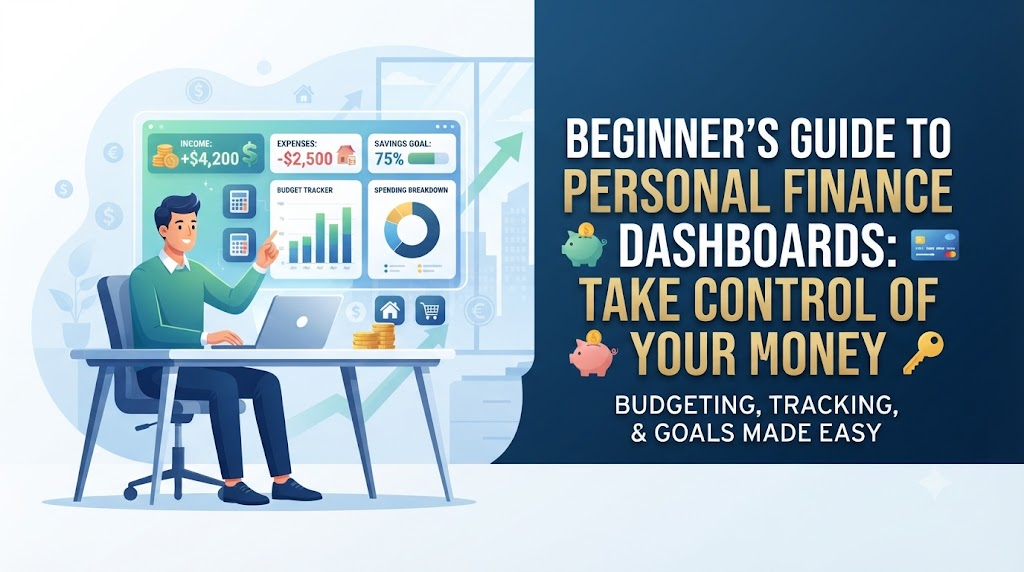
A personal finance dashboard is a centralized display—usually built in a spreadsheet or powered by financial software—that summarizes your income, expenses, savings, and investments in one place.
Think of it like the dashboard in a car. When you drive, you do not need to look under the hood to check the engine temperature every minute. You just look at the dashboard to see your speed, fuel level, and warning lights. A personal finance dashboard does the exact same thing for your money. It gives you a quick snapshot of your financial speed and fuel so you can make better choices.
Why Does It Matter?
Without a dashboard, managing money relies entirely on memory. Memory is unreliable. When you track your money in one visual space, you remove the guesswork. You instantly spot unusual spending, see your progress toward buying a house or building an emergency fund, and stay motivated.
Key Components of a Beginner Finance Dashboard
A good beginner dashboard does not need to be complicated. In fact, keeping it simple is the best way to stick with it. Here are the core sections every beginner dashboard should include:
- Income Tracker: A record of all money coming in, including salary, freelance work, side hustles, and investment dividends.
- Expense Tracker: A breakdown of where your money goes, separated into fixed expenses (rent, utilities) and variable expenses (groceries, entertainment).
- Savings and Emergency Fund Tracker: A visual meter showing how close you are to saving three to six months of living expenses.
- Net Worth Summary: A simple calculation subtracting what you owe (liabilities like student loans or credit card debt) from what you own (assets like cash savings and investments).
How a Personal Finance Dashboard Works
The dashboard itself is just a display screen. Behind the scenes, it relies on a simple data flow process.
- Data Collection: Every week or month, you gather your financial transactions from your bank statements, receipts, and credit card bills.
- Categorization: You assign each transaction to a specific category, such as housing, food, transportation, or savings.
- Calculation: The dashboard automatically calculates totals, percentages, and differences using basic formulas or software logic.
- Visual Display: The numbers transform into simple charts, progress bars, or summary cards that tell you immediately whether you are saving money or overspending.
Practical Example: Sarah’s Monthly Setup
Let us look at how a beginner named Sarah uses a simple personal finance dashboard.
Sarah earns $3,000 a month after taxes. Before using a dashboard, she always felt broke by the 25th of the month. She decided to set up a basic spreadsheet dashboard.
- Step 1: She listed her fixed bills: Rent ($1,000), Utilities ($150), and Insurance ($50). Total fixed costs: $1,200.
- Step 2: She set a budget for variable costs: Groceries ($400), Dining Out ($200), and Transport ($150). Total variable costs: $750.
- Step 3: She automated her savings: Emergency Fund ($500) and Retirement ($350). Total savings: $850.
- Step 4: Total allocated: $1,200 + $750 + $850 = $3,000.
By viewing this on a single dashboard screen, Sarah realized her dining-out habit was eating into money meant for her emergency fund. Seeing the numbers clearly in one chart helped her cut dining out in half, allowing her to reach her savings goal three months early.
Common Mistakes Beginners Make
When setting up their first dashboard, beginners often fall into predictable traps.
1. Making the Dashboard Too Complicated
- What people do: They try to track every single penny down to the cent across fifty different hyper-specific categories.
- Why it causes problems: It takes too much time, becomes exhausting, and leads to burnout within two weeks.
- What to do instead: Start with five to eight broad categories (Housing, Food, Transport, Bills, Savings, Fun). You can always add detail later.
2. Relying Entirely on Automation Without Reviewing
- What people do: They link their bank accounts to an app, set up a dashboard, and never look at it again.
- Why it causes problems: Automated tools often miscategorize transactions. If a clothing store purchase gets labeled as “Groceries,” your data becomes inaccurate.
- What to do instead: Schedule a quick 15-minute review every Sunday to check categories and verify your numbers.
3. Treating the Dashboard as a Rigid Law
- What people do: They get discouraged and quit when they overspend in one category by $10.
- Why it causes problems: Life is unpredictable. Strict perfectionism causes people to abandon financial tracking altogether.
- What to do instead: View the dashboard as a flexible guide, not a prison sentence. Adjust your targets next month if needed.
Risks and Limitations
While finance dashboards are powerful tools, you must understand their limitations.
- Security Risk: If you use third-party apps that connect directly to your bank accounts, poor password security or vulnerable software can expose your financial data. Always use reputable apps with strong encryption and two-factor authentication.
- Data Privacy: Some free software apps monetize your data by tracking spending habits. Read privacy policies carefully.
- False Sense of Security: Simply having a dashboard does not save money. A dashboard only shows you the truth; you still have to make the choice to spend less or save more.
Checklist for Setting Up Your First Dashboard
Before you launch your personal finance dashboard, run through this quick checklist to ensure success:
- Choose your platform (Spreadsheet software like Excel/Google Sheets or a dedicated finance app).
- List all active bank accounts, credit cards, and loan balances.
- Define your primary goal (e.g., tracking monthly spending or building an emergency fund).
- Set up broad spending and saving categories.
- Enter your baseline income and fixed expenses.
- Schedule a weekly 15-minute review session in your calendar.
Key Terms
- Asset: Anything you own that has monetary value, such as cash in a bank account, investments, or property.
- Liability: Any debt or money you owe, such as credit card balances, student loans, or mortgages.
- Net Worth: The total value of your assets minus your liabilities.
- Fixed Expenses: Regular bills that stay the same every month, like rent or insurance.
- Variable Expenses: Costs that change from month to month, like groceries, entertainment, and shopping.
- Emergency Fund: Money set aside specifically to cover unexpected financial hardships, such as medical bills or job loss.
- Categorization: The process of sorting financial transactions into labeled groups to track spending habits.
Frequently Asked Questions
Do I need to pay for a personal finance dashboard app?
No. Many excellent templates for spreadsheet software like Google Sheets and Microsoft Excel are completely free. Free apps also exist, though paid versions may offer advanced automation features.
How often should I update my financial dashboard?
For manual spreadsheet dashboards, updating once a week or once a month works best. If you use automated software, checking in weekly helps you catch errors and monitor your spending habits closely.
Is it safe to connect my bank account to finance apps?
Reputable financial apps use bank-level encryption and read-only access, meaning they cannot move your money. However, you should always use strong passwords and enable two-factor authentication for maximum security.
What is the best tool for a complete beginner?
A simple spreadsheet template is often the best starting point for beginners because it forces you to understand where your money goes. Once you master manual tracking, you can transition to automated apps if you prefer.
Can a finance dashboard help me get out of debt?
Yes. By centralizing all your liabilities and spending in one view, you can easily identify extra cash to put toward paying down high-interest debt faster.
What should I do if my dashboard numbers do not match my bank statement?
Do not panic. This usually happens due to pending transactions that have not cleared yet. Check your recent card activity to find the missing transaction and adjust your records manually.
Conclusion
A personal finance dashboard is more than just numbers on a screen—it is a tool that gives you clarity and control over your financial future. You do not need an accounting degree or complex software to get started. Begin with a simple spreadsheet, track your core income and expenses, and commit to reviewing your numbers weekly. By keeping your system simple and consistent, you will build better financial habits and reduce your money stress over time.