Introduction
Every business wants to grow faster and work smarter. Because of this, buying new software is very easy. With just a click and a credit card, you can sign up for a shiny new app that promises to automate your marketing, organize your projects, or boost your sales.
Over time, however, these subscriptions pile up. Before you know it, your company pays monthly fees for a dozen different platforms. Some teams use them heavily, while others sit completely forgotten in a browser tab.
When money gets tight or efficiency drops, business owners start asking hard questions. They realize they are paying for software that nobody really uses or needs.
Spotting low-value tools is not just about cutting costs. It is about keeping your operations clean, your data secure, and your team focused on what actually drives results. This guide will show you how to look past the marketing hype, audit your current software stack, and separate essential business assets from expensive digital clutter.
What Is a Low-Value Business Tool?
A low-value tool is any software or digital platform that consumes financial resources, time, or attention without providing a fair benefit to the business in return.
To understand what makes a tool low-value, look at the balance between its cost and its output. Cost includes subscription fees, training time, data migration, and the mental energy required to manage it. Output includes revenue generated, hours saved, errors prevented, or customer satisfaction improved.
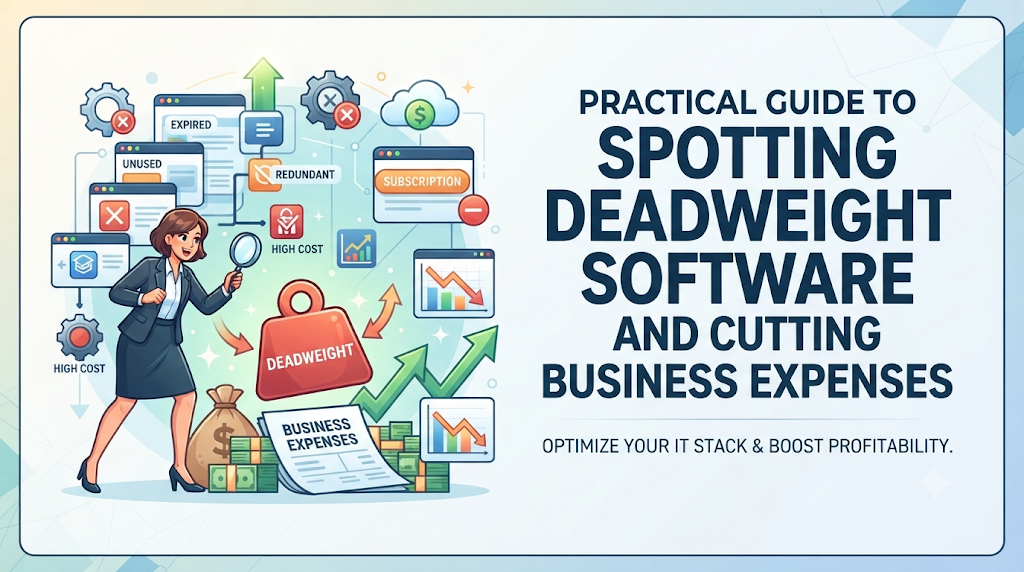
When the costs outweigh the output, the tool becomes dead weight.
Why It Matters
- Financial Drain: Small monthly fees add up into thousands of dollars wasted every single year.
- Operational Friction: Too many apps confuse employees and create messy, disconnected workflows.
- Security Risks: Every unused account or forgotten app is a potential entry point for data breaches.
Why Businesses Accumulate Low-Value Tools
Software waste does not happen overnight. It usually creeps into an organization through specific, common habits. Understanding how these tools get inside your business helps you stop the cycle.
- Shiny Object Syndrome: Teams get excited by new software launches, trendy features, or sleek marketing campaigns and buy tools before testing them.
- Decentralized Purchasing: Different departments buy their own software using company credit cards without checking with finance or leadership.
- Free Trial Traps: A free trial ends, the card gets charged automatically, and nobody notices for six months because the fee is small.
- Fear of Missing Out: Companies buy tools simply because competitors use them, even if their own workflow does not require them.
Major Signs Your Business Is Paying for Low-Value Tools
You do not need to guess whether a tool is useful. Software that lacks value usually leaves clear warning signs behind.
1. Low or Declining Usage Rates
If your team rarely logs into an app, it has low value. Look at your admin dashboards. If an application bought for fifty employees only sees two active users per week, you are paying for empty space.
2. Feature Overlap
If tool A does project management, but tool B also has a built-in project management board that your team prefers, tool A is redundant. Businesses often pay for specialized apps when general software they already own can do the same job.
3. Excessive Manual Workarounds
A good tool makes tasks faster. If your staff has to export data from a platform, clean it in a spreadsheet, and manually type it into another system because the tool does not integrate well, the app creates more work than it saves.
4. Poor Vendor Support
When your team runs into a bug and the software provider takes days to reply, or offers generic automated answers, the tool becomes a roadblock instead of a help.
Practical Examples of Software Waste
To make this clear, let us look at two realistic scenarios.
Example A: The Over-Engineered CRM
A small consulting firm buys an expensive customer relationship management platform packed with advanced enterprise features, automated sales pipelines, and complex forecasting algorithms. However, the firm only has three clients at a time and manages most relationships through direct email.
The Result: The team spends hours trying to configure custom fields and workflows that they do not need. The software sits half-empty, costing hundreds of dollars a month for features they never touch. A simple shared spreadsheet would have served them better.
Example B: The Forgotten Backup Tool
A marketing agency signs up for a specialized graphic asset management tool during a busy season. The campaign ends, the project wraps up, and the team moves on. The monthly subscription continues to auto-renew. Six months later, nobody has opened the app, but the company has quietly spent hundreds of dollars on unused storage.
The Hidden Costs of Bad Software
When evaluating tools, most people only look at the sticker price. But low-value software carries hidden costs that can damage your business.
- Training Time: Every new tool requires onboarding. Employees waste hours watching tutorial videos and learning interfaces they will rarely use.
- Data Fragmentation: When information lives across five different disconnected apps, your team wastes time searching for files and makes costly mistakes based on outdated data.
- Cancellation Friction: Some platforms make it difficult to export your data or cancel your subscription, locking you into a frustrating cycle of paying just to retrieve your own files.
A Simple Framework to Spot and Eliminate Low-Value Tools
You can use a step-by-step audit framework to evaluate every software subscription in your business. Run through this checklist at least once a year.
Step 1: Create a Complete Software Inventory
List every subscription, app, and digital platform your business pays for. Include marketing tools, accounting software, project boards, and hosting services. Check bank and credit card statements to catch forgotten recurring charges.
Step 2: Assign an Owner to Every Tool
Every piece of software must have a designated person responsible for it. If nobody owns the tool, nobody tracks its value, and it is a prime candidate for cancellation.
Step 3: Measure Actual Adoption
Ask the tool owner for usage reports. How many team members log in daily or weekly? Are they using core features, or just basic login functions?
Step 4: Evaluate Return on Investment
Ask the hard question: What would happen if we canceled this tool tomorrow? If the answer is “nothing much” or “we would just use a free alternative,” the tool has low value.
Step 5: Consolidate and Cut
Cancel subscriptions that fail the test. Downgrade enterprise plans to basic tiers if your team only uses a fraction of the features. Reallocate that saved money toward tools that genuinely accelerate your growth.
Common Mistakes When Auditing Software
- Cutting Useful Tools to Save Pennies: Do not cancel a tool just because it is expensive if it saves your team dozens of hours of manual labor every week. Look at overall value, not just raw cost.
- Failing to Involve End Users: Business owners often cancel software from the top down without asking the actual employees who use it daily. Always consult your team before pulling the plug.
- Ignoring Data Migration Plans: Canceling a tool abruptly without exporting historical records can destroy valuable customer data or project history. Always back up your data first.
Key Terms
- SaaS: A software delivery model where apps are hosted by a vendor and accessed online via a monthly or annual subscription.
- Software Bloat: The accumulation of unnecessary apps, features, or unused subscriptions that slow down operations and waste money.
- Redundancy: Having multiple tools that perform the exact same function within an organization.
- Adoption Rate: The percentage of target users who actively use a deployed software tool.
- ROI: A metric used to evaluate whether the financial gain from a tool justifies its total cost.
Frequently Asked Questions
How often should a business audit its software stack?
You should conduct a full software audit at least once a year. Fast-growing businesses or agencies should review subscriptions every six months to catch unused tools early.
What should I do if a vendor makes it difficult to cancel?
Check your contract terms for auto-renewal clauses. If support ignores cancellation requests, contact your bank or credit card provider to block future recurring charges from that merchant.
Is free software always better than paid software?
Not necessarily. While free tools save money, they often lack customer support, security features, or data privacy controls. Evaluate free tools based on reliability and security, not just the price tag.
How do I know if an expensive tool is actually worth it?
Calculate the hours saved or revenue generated by the tool. If a tool costs $200 a month but saves an employee ten hours of manual labor valued at much more than that, it provides high value.
Should I let employees choose their own software?
You can encourage team input, but purchasing should go through a centralized approval process. This prevents duplicate tools and keeps your software budget under control.
Conclusion
Low-value tools drain your budget, slow down your team, and create unnecessary operational chaos. Spotting and removing them requires discipline, regular audits, and a clear focus on practical value over marketing hype.
By taking inventory of your subscriptions, measuring real usage, and cutting what you do not need, you free up financial resources and mental energy. Keep your software stack lean, purposeful, and fully aligned with your actual business goals.